

- Building multi-agent systems
- Re-using a set of nodes in multiple graphs
- Distributing development: when you want different teams to work on different parts of the graph independently, you can define each part as a subgraph, and as long as the subgraph interface (the input and output schemas) is respected, the parent graph can be built without knowing any details of the subgraph
- Invoke a graph from a node — subgraphs are called from inside a node in the parent graph
- Add a graph as a node — a subgraph is added directly as a node in the parent and shares state keys with the parent
Setup
Invoke a graph from a node
A simple way to implement a subgraph is to invoke a graph from inside the node of another graph. In this case subgraphs can have completely different schemas from the parent graph (no shared keys). For example, you might want to keep a private message history for each of the agents in a multi-agent system. If that’s the case for your application, you need to define a node function that invokes the subgraph. This function needs to transform the input (parent) state to the subgraph state before invoking the subgraph, and transform the results back to the parent state before returning the state update from the node.Full example: different state schemas
Full example: different state schemas
Full example: different state schemas (two levels of subgraphs)
Full example: different state schemas (two levels of subgraphs)
This is an example with two levels of subgraphs: parent -> child -> grandchild.
Add a graph as a node
When the parent graph and subgraph can communicate over a shared state key (channel) in the schema, you can add a graph as a node in another graph. For example, in multi-agent systems, the agents often communicate over a shared messages key.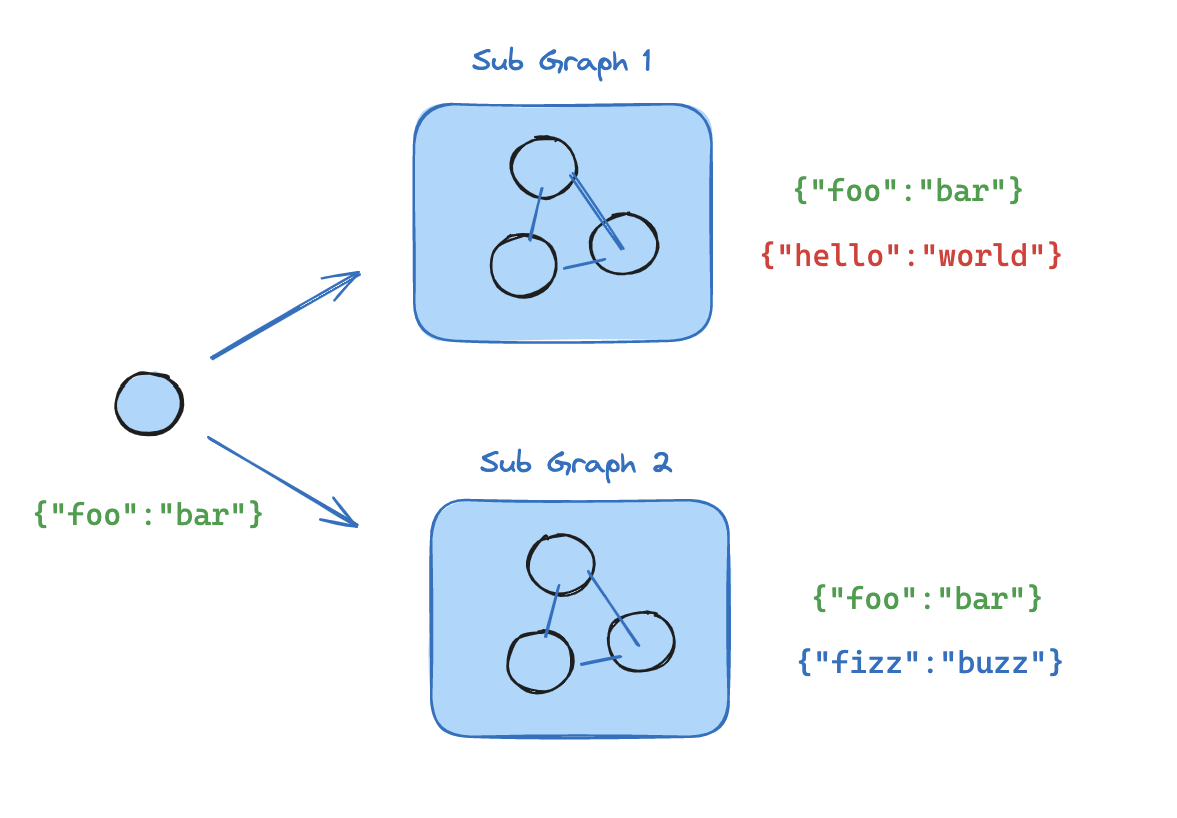
- Define the subgraph workflow (
subgraph_builderin the example below) and compile it - Pass compiled subgraph to the
add_nodemethod when defining the parent graph workflow
Add persistence
You only need to provide the checkpointer when compiling the parent graph. LangGraph will automatically propagate the checkpointer to the child subgraphs.View subgraph state
When you enable persistence, you can inspect the graph state (checkpoint) via the appropriate method. To view the subgraph state, you can use the subgraphs option. You can inspect the graph state viagraph.get_state(config). To view the subgraph state, you can use graph.get_state(config, subgraphs=True).
Viewing subgraph state requires that LangGraph can statically discover the subgraph — i.e., it is added as a node or invoked from a node function. It does not work when a subgraph is called inside a tool function or other indirection (e.g., the subagents pattern). Note that interrupts themselves still propagate to the top-level graph regardless of nesting.
View interrupted subgraph state
View interrupted subgraph state
Stream subgraph outputs
To include outputs from subgraphs in the streamed outputs, you can set the subgraphs option in the stream method of the parent graph. This will stream outputs from both the parent graph and any subgraphs.Stream from subgraphs
Stream from subgraphs